
March 30, 2026
Introducing Survey Activities: Turn Booth Conversations Into Structured Data
Introducing Survey Activities: Turn Booth Conversations Into Structured Data
Every booth has the same problem: attendees leave, the conversation ends, and the only record you have is a name and an email.
Surveys fix that. They let you ask the questions that actually matter before the attendee walks away — what their current stack looks like, what problem they're trying to solve, how urgent the pain is. That's not noise. That's pipeline intelligence.
What's New
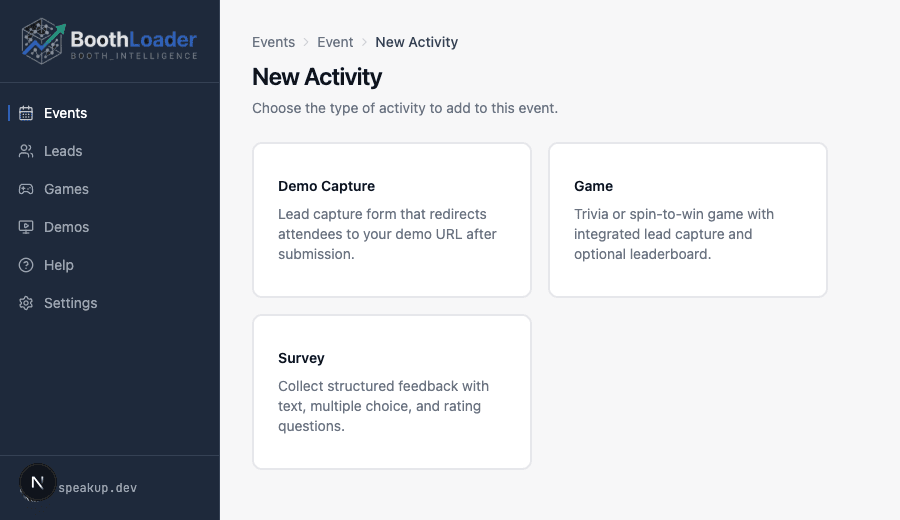
Survey is now a first-class activity type in BoothLoader, alongside Trivia, Spin to Win, Binary Classifier, Code Challenge, and Estimation Slider.
You can build a survey with:
- Text questions — open-ended, free-form answers
- Multiple choice — pick one from a list of options
- Rating questions — 1-to-5 scale, great for satisfaction and priority signals
- Optional gift or incentive — reward completion with a prize code, discount, or giveaway entry
Every survey response is tied to a captured lead. You get the contact details and the answers together, in one record.
How It Works
- Create a Survey activity in your event dashboard
- Build your question set: mix question types, mark which are required, add an optional gift reward
- Activate it and share the QR code at your booth
- Attendees fill in their lead details, then work through your questions
- Responses appear in your leads dashboard alongside every other activity
No integrations. No extra setup. Same lead management you already use.
Who This Is For
Survey activities are a natural fit for:
- Sales teams who want to qualify leads on the spot ("What's your current CRM?")
- Product teams running user research at conferences ("Which of these features would you pay for?")
- Marketing teams running prize draws ("Complete this survey to enter the raffle")
If you've ever wished you could ask a few more questions before the badge scan, this is it.
Get Started
Survey is available to all BoothLoader accounts today. Create a new activity in your event dashboard and select Survey as the type.
Get in touch and build your first survey in under five minutes.